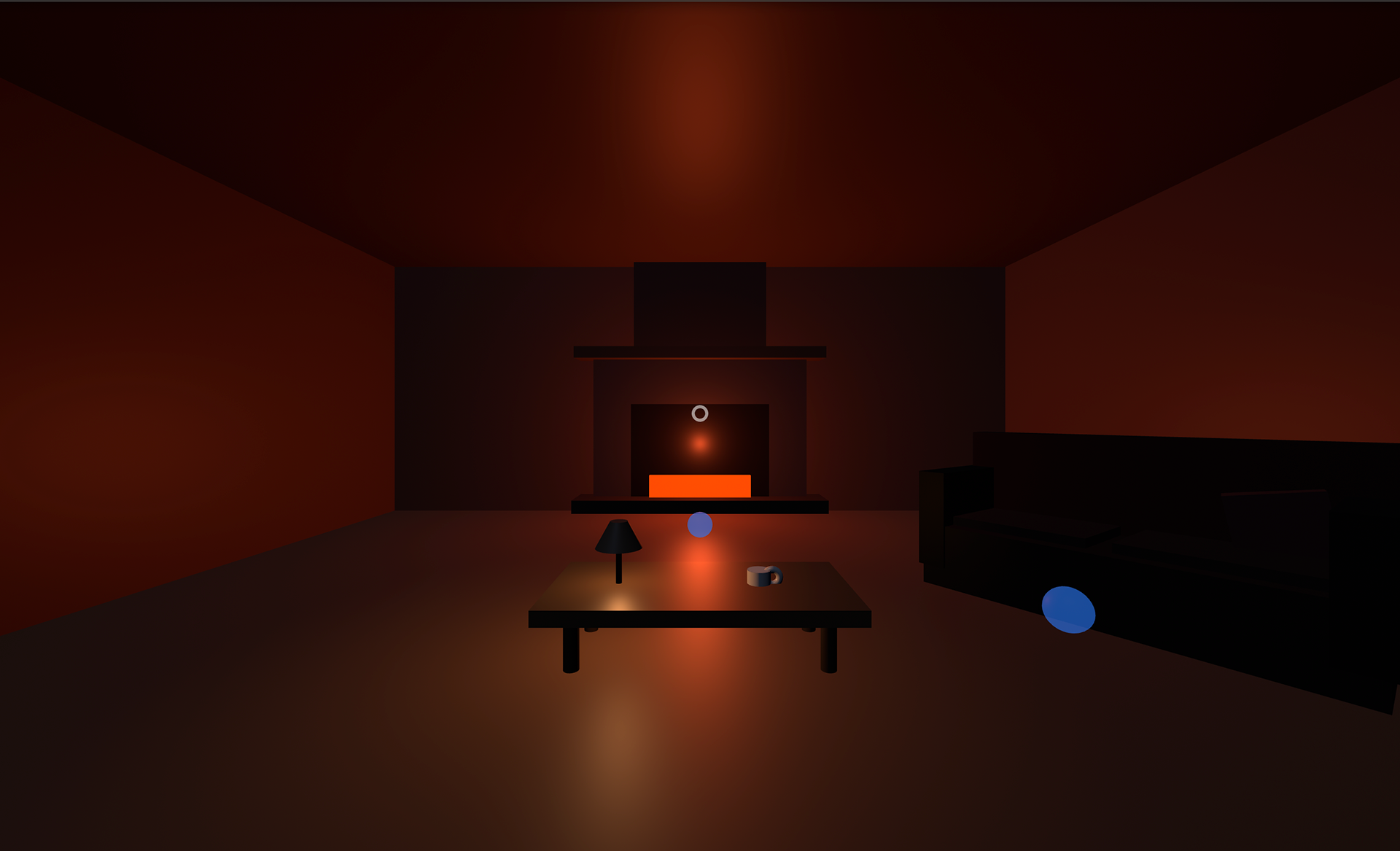
Cozy Cabin XR — Gaze & Pinch Interaction in WebXR
Cozy Cabin XR is a browser-based immersive environment built with WebXR and A-Frame, exploring intuitive spatial interaction patterns across desktop and Apple Vision Pro. The project examines how natural affordances—such as gaze-and-pinch input, object manipulation, and environmental lighting feedback—translate across devices within a shared spatial context.
Users can toggle environmental elements like a lamp using gaze and pinch gestures on Vision Pro or mouse input on desktop, and interact with everyday objects such as a coffee cup. This work investigates interaction consistency, accessibility, and user expectation in cross-device spatial computing environments.
Key Interactions
Gaze + pinch lamp toggle (Apple Vision Pro)
Mouse-based interaction parity for desktop browsers
Object pickup and release using spatial input
Dynamic lighting and emissive feedback
Real-time movement using keyboard navigation (WASD)
Tech Stack
WebXR · A-Frame · Three.js (via A-Frame) · JavaScript · HTML/CSS
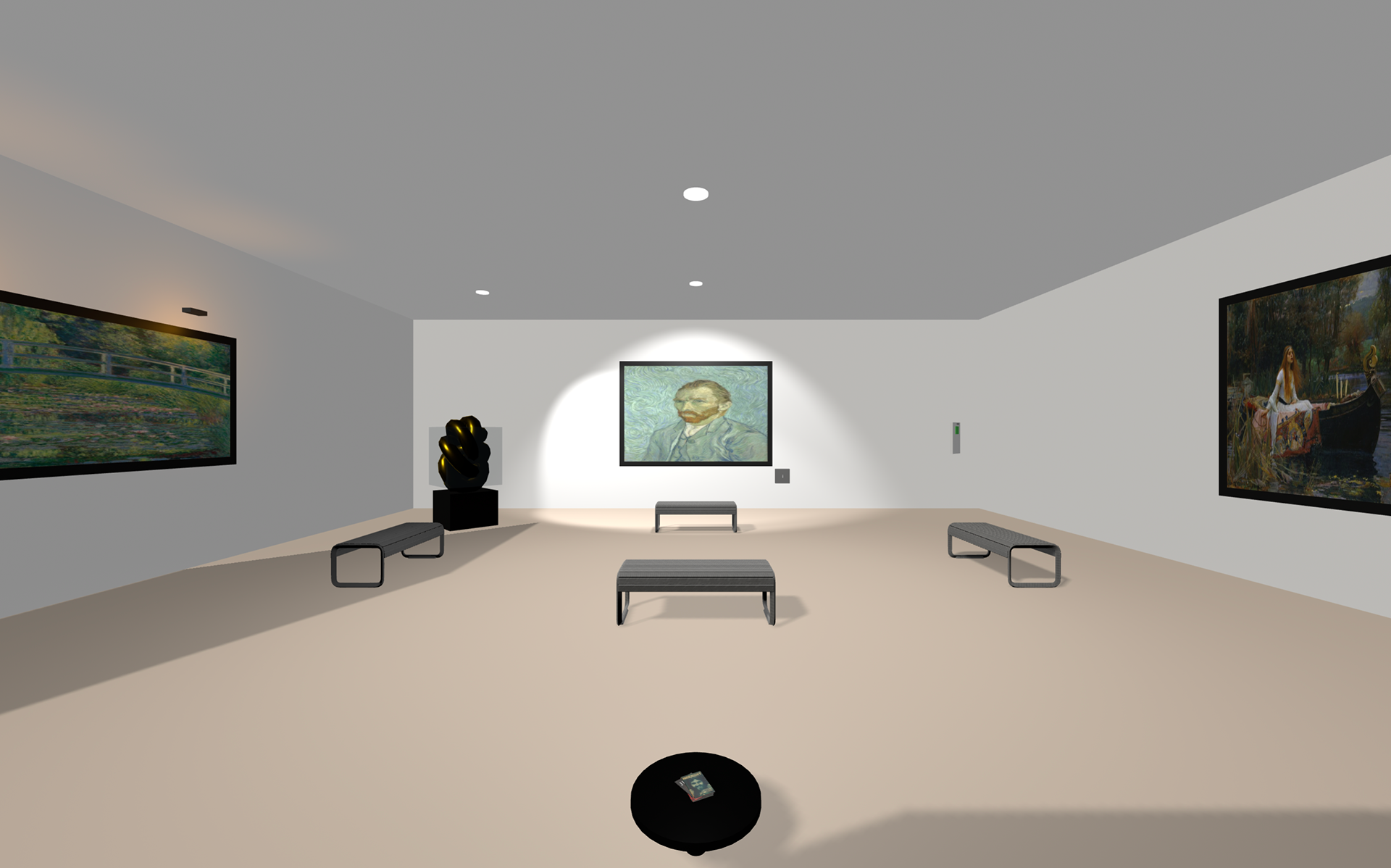
Adaptive Virtual Gallery: Context-Aware Spatial Computing
Adaptive Virtual Gallery is a WebXR-based immersive VR environment that explores how interaction models adapt across different virtual reality headsets. Rather than relying on a single control scheme, the experience dynamically adjusts interaction methods—such as controller-based manipulation and gaze-driven selection—based on the capabilities of the active VR device. The project investigates how immersive environments can maintain interaction consistency, accessibility, and embodied presence across varied VR hardware.
Users explore a museum-quality virtual gallery featuring physically based rendering, interactive 3D artworks, and adaptive control systems. On controller-equipped VR headsets, navigation and interaction are enabled through teleportation, laser-pointer selection, and direct object manipulation. On hands-free or limited-input VR configurations, the system supports gaze-fused selection with temporal feedback to allow intuitive interaction without controllers. By balancing device-specific affordances with shared spatial principles, the project examines how VR environments can intelligently reconfigure themselves to support inclusive and context-aware immersive experiences.
Key Interactions
• Detects the active device and adapts controls in real time
• Uses gaze-based selection with timing feedback for hands-free interaction
• Meta Quest (VR): Point the controller laser at a marker or object until the cursor is aligned, then press the trigger to select or teleport
• Meta Quest movement: Use the left joystick to move; press A to confirm or select when prompted (if enabled)
• Supports controller-based teleportation and object manipulation in VR headsets
• Implements dynamic lighting with consistent state management
• Allows objects to be grabbed using multiple input methods
• Displays context-aware UI elements such as artwork details and spatial audio
• Uses gaze-based selection with timing feedback for hands-free interaction
• Meta Quest (VR): Point the controller laser at a marker or object until the cursor is aligned, then press the trigger to select or teleport
• Meta Quest movement: Use the left joystick to move; press A to confirm or select when prompted (if enabled)
• Supports controller-based teleportation and object manipulation in VR headsets
• Implements dynamic lighting with consistent state management
• Allows objects to be grabbed using multiple input methods
• Displays context-aware UI elements such as artwork details and spatial audio
Research Context - This project explores adaptive spatial systems and experimental interaction design within immersive virtual environments. It focuses on how interaction models can shift dynamically based on user context and hardware capabilities, rather than relying on a fixed control scheme. By emphasizing embodiment, accessibility, and responsiveness, the work engages with broader questions of how immersive experiences can remain intuitive, inclusive, and meaningful across different VR configurations.
Tech Stack
WebXR · A-Frame · Three.js (via A-Frame) · JavaScript · HTML/CSS
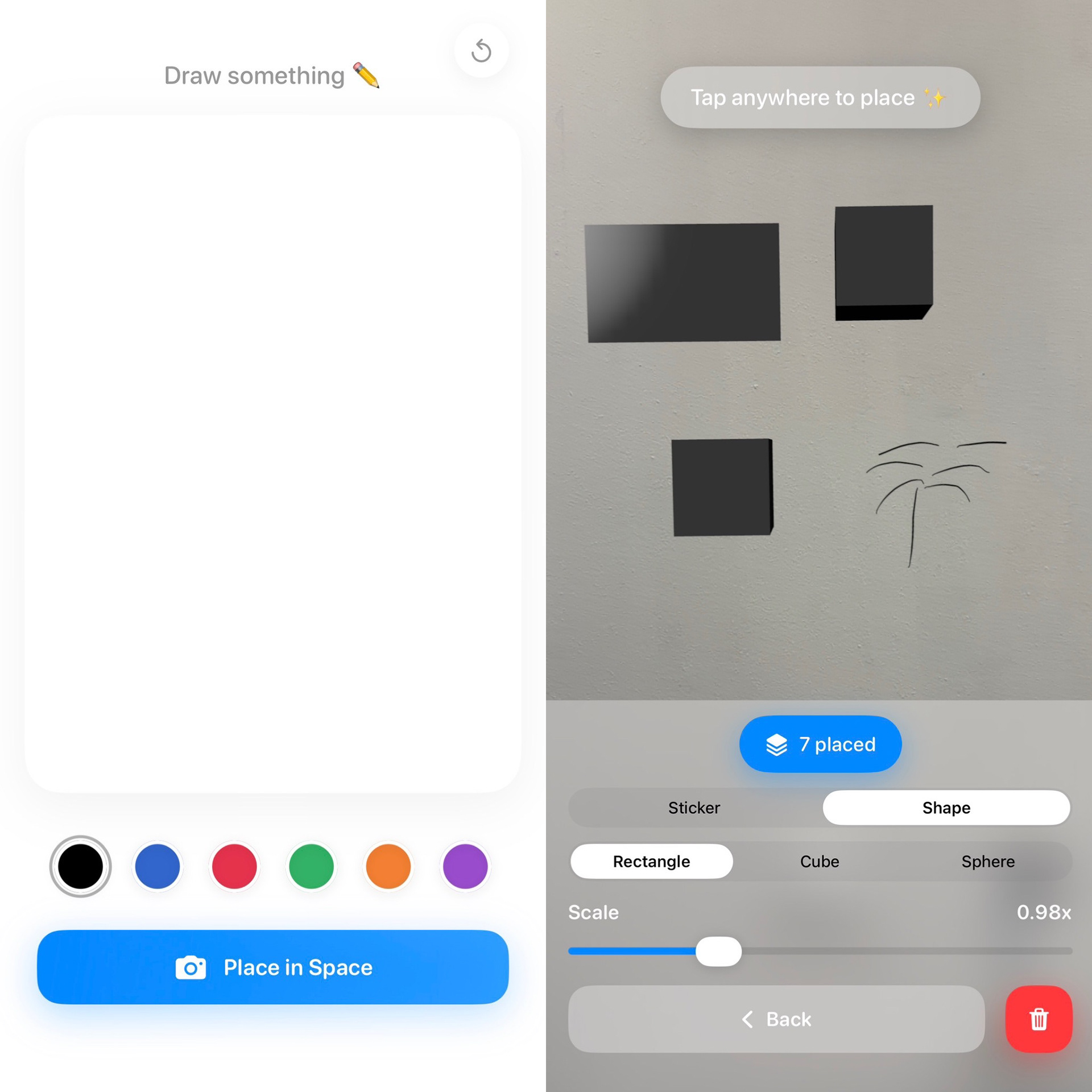
Narratives in Space — AR (Under Development)
Narratives in Space explores drawing as a spatial act rather than a flat gesture.
Instead of drawing directly in augmented reality, the app separates mark-making from placement — allowing sketches to be created in a focused canvas and then intentionally placed, scaled, and composed within physical space.
The goal is to think architecturally:
jotting ideas down as you go, placing thoughts where they belong, building spatial narratives over time rather than in a single moment.
jotting ideas down as you go, placing thoughts where they belong, building spatial narratives over time rather than in a single moment.
Drawings persist in the environment even as you return to sketch again, enabling an evolving composition that blends hand-drawn expression with simple spatial forms. The experience encourages experimentation, collaboration, and immersion — treating space as a medium for storytelling, ideation, and reflection.
While many immersive creative tools exist in VR, Narratives in Space asks:
What if we could begin exploring spatial drawing, interaction, and narrative using the devices we already carry — phones and tablets — as windows into immersive environments?
What if we could begin exploring spatial drawing, interaction, and narrative using the devices we already carry — phones and tablets — as windows into immersive environments?
This project is currently under development and serves as an ongoing exploration of spatial interaction, memory, and narrative in augmented reality.
Research Question: How might separating hand-drawn mark-making from spatial placement enable new forms of narrative construction, spatial memory, and ideation within augmented reality environments on everyday devices?
Tech Stack
iOS · ARKit · RealityKit · SwiftUI · PencilKit